
Buying a product—whether online or in a physical store—requires more...
How To Buy Quality Electronics From Classified Ads

Buying electronics from classified ads can be a smart way to save money. Whether you’re looking for a smartphone, laptop, gaming console, TV, or home appliance, classified platforms often offer great deals. However, they also come with risks if you don’t know what to check.
This complete guide will help you buy quality electronics safely and confidently from classified ads.
1. Why Buy Electronics From Classified Ads?
4
✅ Lower Prices
Most sellers are individuals who want quick sales, so prices are usually negotiable.
✅ Access to Premium Devices
You can afford high-end devices like the MacBook Pro or PlayStation 5 at reduced prices.
✅ Local Pickup Options
You can inspect the item physically before paying.
2. Choose the Right Platform
Some popular classified platforms include:
- eBay
- Facebook Marketplace
- Craigslist
Choose platforms with:
- Verified user profiles
- Review systems
- Secure messaging
- Buyer protection (if available)
3. Research Before You Contact the Seller
Before messaging the seller:
- Know the market price of the device (new and used)
- Compare multiple listings
- Check product specifications
- Watch review videos online
If the price is much lower than average, be cautious—it may be a scam.
4. Carefully Analyze the Listing
Look for:
📌 Clear Photos
Real images (not stock photos).
Zoom in to check scratches or damage.
📌 Detailed Description
The seller should mention:
- Condition
- Age of the device
- Reason for selling
- Included accessories
📌 Serial/IMEI Information
For phones and laptops, verify:
- IMEI (for phones)
- Serial number (for laptops)
5. Ask the Right Questions
Before meeting or paying, ask:
- Is the device fully functional?
- Has it been repaired before?
- Is it still under warranty?
- Are all original parts included?
- Does it come with charger and box?
Serious sellers will answer confidently.
6. Inspect the Device Properly
4
When meeting the seller:
For Smartphones:
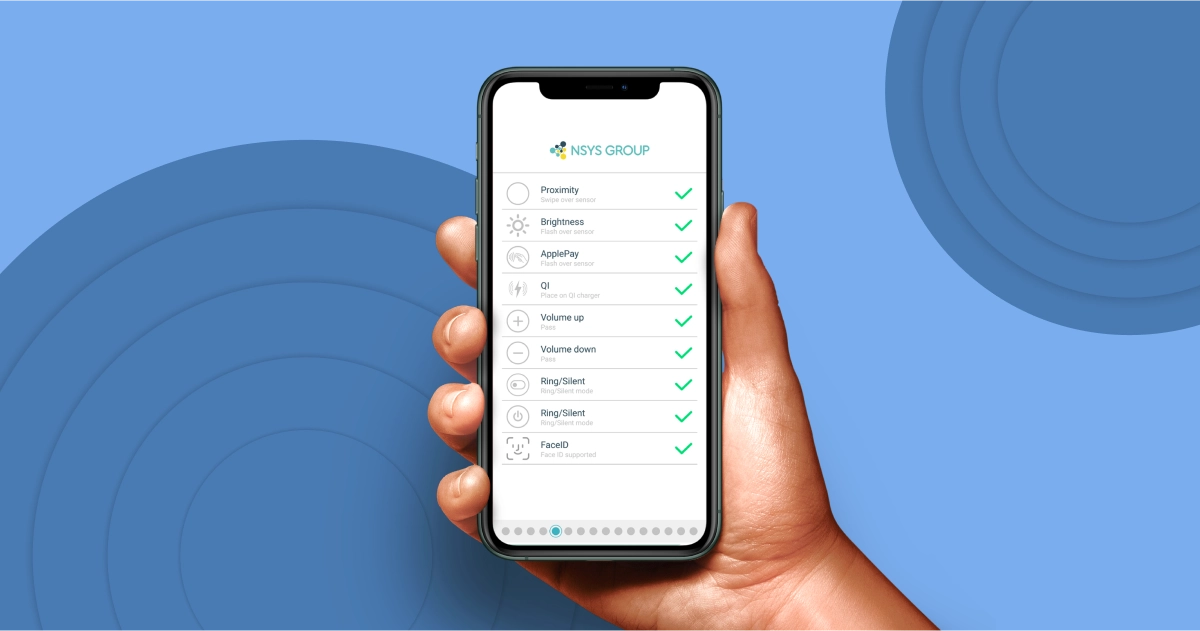
- Test camera, Wi-Fi, Bluetooth
- Check battery health
- Confirm IMEI is not blacklisted
- Ensure the phone is unlocked
For Laptops:
- Test keyboard and trackpad
- Check battery life
- Inspect screen for dead pixels
- Verify storage and RAM specs
For Gaming Consoles:
- Test controllers
- Insert a game disc (if applicable)
- Check HDMI output
For TVs:
- Look for screen lines or dark spots
- Test sound output
- Check all ports
7. Meet in a Safe Location
Safety is very important.
- Meet in public places (malls, cafés)
- Bring a friend if possible
- Avoid night meetings
- Do not carry large cash amounts
Some police stations offer safe exchange zones.
8. Use Safe Payment Methods
Avoid:
- Sending money before seeing the item
- Wire transfers to unknown sellers
Preferred options:
- Cash on pickup
- Secure platform payments
- Escrow services (for expensive items)
Always keep proof of payment.
9. Watch Out for Red Flags 🚩
- Seller refuses in-person meeting
- Price is unrealistically low
- Seller rushes the transaction
- Poor communication
- No real photos provided
If something feels wrong, walk away.
10. Negotiate Smartly
Most classified sellers expect negotiation.
Tips:
- Be polite
- Use market price comparison
- Point out minor wear (if present)
- Offer reasonable counteroffers
Don’t negotiate aggressively—it can lose you the deal.
11. Understand the Risks
Buying from classified ads usually means:
- No return policy
- No official warranty
- Limited buyer protection
That’s why proper inspection is critical.
12. Final Checklist Before Paying
✔ Device fully tested
✔ No account lock (Google/iCloud removed)
✔ Correct accessories included
✔ Price agreed
✔ Payment method safe
✔ You feel comfortable with the deal
Conclusion
Buying quality electronics from classified ads can save you a lot of money if you follow the right steps. Research carefully, inspect thoroughly, prioritize safety, and use secure payment methods.
When done correctly, you can get premium electronics at affordable prices without regrets.
Related Posts


Online shopping and classified marketplaces have made buying and selling...

Writing effective classified ads is not just about posting products...
Leave your comment