
Bizilisting allows sellers to easily manage their listings after they...
The Complete Guide to Buying Used Phones Online

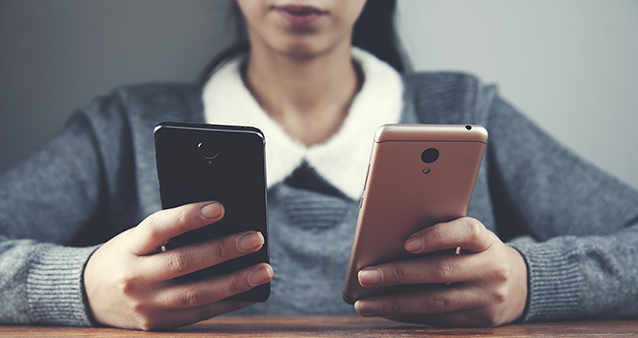
Buying a used phone online can save you a lot of money while still giving you access to premium features. Whether you’re upgrading your current device, buying a backup phone, or starting a small resale business, purchasing a pre-owned smartphone is a smart decision—if done correctly.
This detailed guide will walk you through everything you need to know before buying a used phone online.
1. Why Buy a Used Phone?
✅ Save Money
Used phones are significantly cheaper than brand-new models. You can often get a flagship phone for 30–60% less than its original price.
✅ Better Value for Performance
Instead of buying a new low-budget phone, you can buy a higher-end used phone with better camera, processor, and display quality.
✅ Eco-Friendly Choice
Buying used reduces electronic waste and extends the life of devices.
2. Decide What Phone You Need
Before browsing online stores, ask yourself:
- What is my budget?
- Do I prefer Android or iOS?
- Do I need a strong camera?
- How much storage do I need?
- How long do I plan to use it?
For example:
- If you prefer iOS, consider devices like the iPhone 13.
- For Android users, options like the Samsung Galaxy S21 offer powerful performance at a lower used price.
3. Where to Buy Used Phones Online

Trusted Online Platforms:
- Amazon Renewed
- eBay
- Facebook Marketplace
- Certified refurbished stores
- Local online marketplaces
Always check seller ratings and reviews before making a purchase.
4. Understand Phone Conditions
Used phones are usually categorized as:
🔹 Like New
Almost no scratches, fully functional.
🔹 Very Good
Minor cosmetic wear but works perfectly.
🔹 Good
Visible scratches or marks, but fully functional.
🔹 Fair
Noticeable wear; battery health may be lower.
Ask for real photos if possible.
5. Check Important Things Before Buying
📌 1. IMEI Status
Ask for the IMEI number and check if the phone is blacklisted or stolen.
📌 2. Carrier Lock
Make sure the phone is unlocked or compatible with your network provider.
📌 3. Battery Health
For iPhones, ask for battery health percentage (80% or higher is recommended).
📌 4. Storage Capacity
Choose wisely—128GB or more is ideal for long-term use.
📌 5. Original Parts
Ensure the screen and battery are original if possible.
6. Compare Prices

Check multiple sellers before purchasing. If the price is too low, it might be a red flag.
7. Understand Return & Warranty Policy
- Does the seller offer a return window (7–30 days)?
- Is there a limited warranty?
- What happens if the phone arrives damaged?
Avoid sellers with “no returns accepted” policies.
8. Safe Payment Methods
Always use secure payment methods:
- Credit/Debit card
- PayPal
- Trusted payment processors
Avoid direct bank transfers to unknown sellers.
9. What to Do When the Phone Arrives
Immediately:
- Check physical condition
- Test camera, speaker, microphone
- Test Wi-Fi and mobile network
- Check battery performance
- Verify IMEI matches the box (if provided)
If anything is wrong, contact the seller immediately.
10. Pros and Cons of Buying Used Phones
👍 Pros
- Affordable
- Better specs for price
- Environmentally friendly
👎 Cons
- Shorter lifespan
- Limited warranty
- Risk of hidden damage
Final Tips
- Don’t rush into buying.
- Always read reviews.
- Ask questions before paying.
- Choose reputable platforms.
- Keep transaction records.
Conclusion
Buying a used phone online is a smart way to save money while still enjoying premium features. However, it requires careful research and attention to detail. By checking device condition, seller credibility, and payment safety, you can confidently purchase a quality used phone without regrets.
Related Posts


Buying electronics from classified ads can be a smart way...
Buying from classified ads is one of the easiest ways...
Leave your comment